User Management
User Management lets you add team members to your Dalgo organisation and control what each person can see and do.
Viewing users
- Select Settings in the left menu, then select User Management.
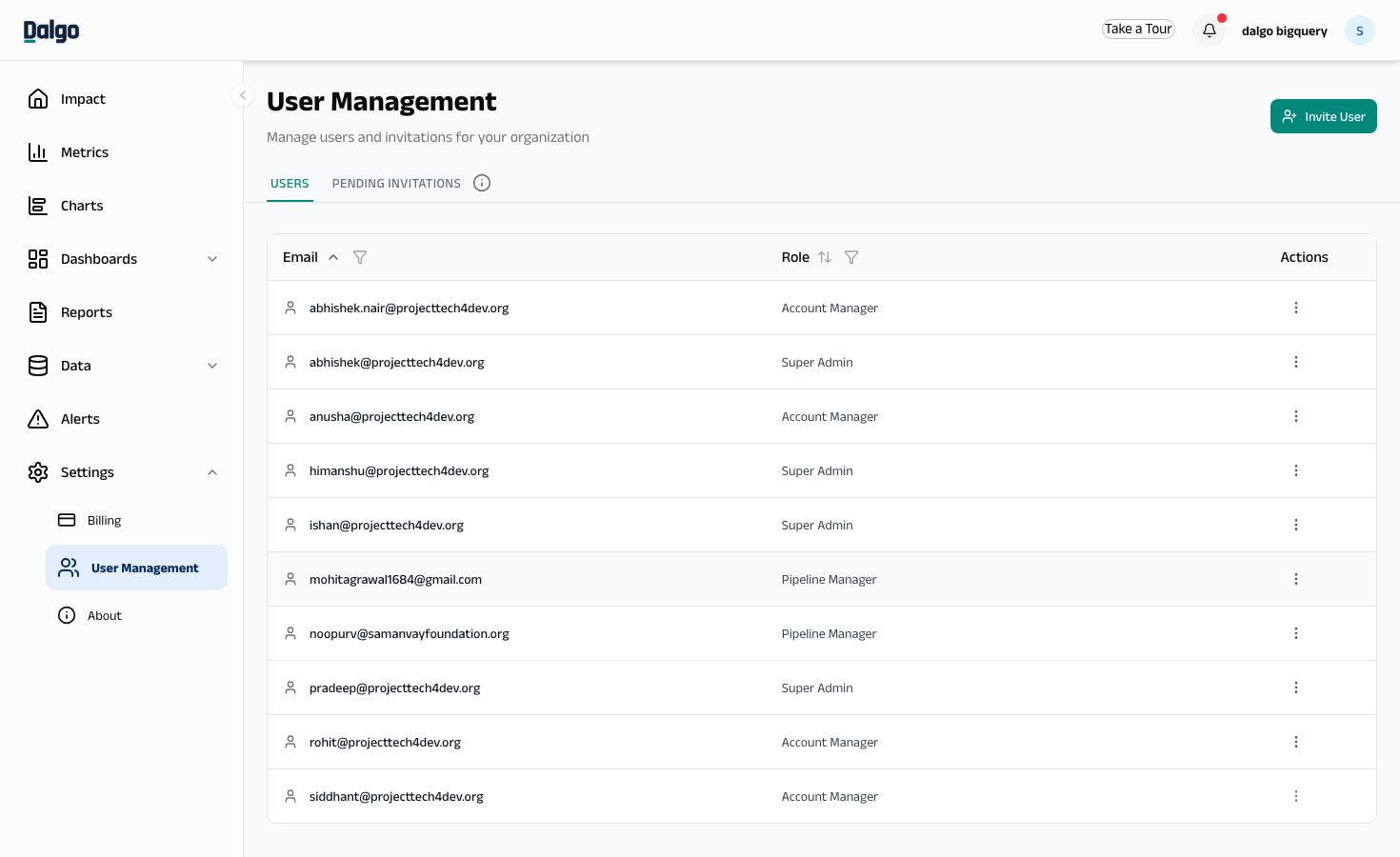
You will see two tabs:
- Users — all current members of your organisation and their roles
- Pending Invitations — invitations that have been sent but not yet accepted
Inviting a new user
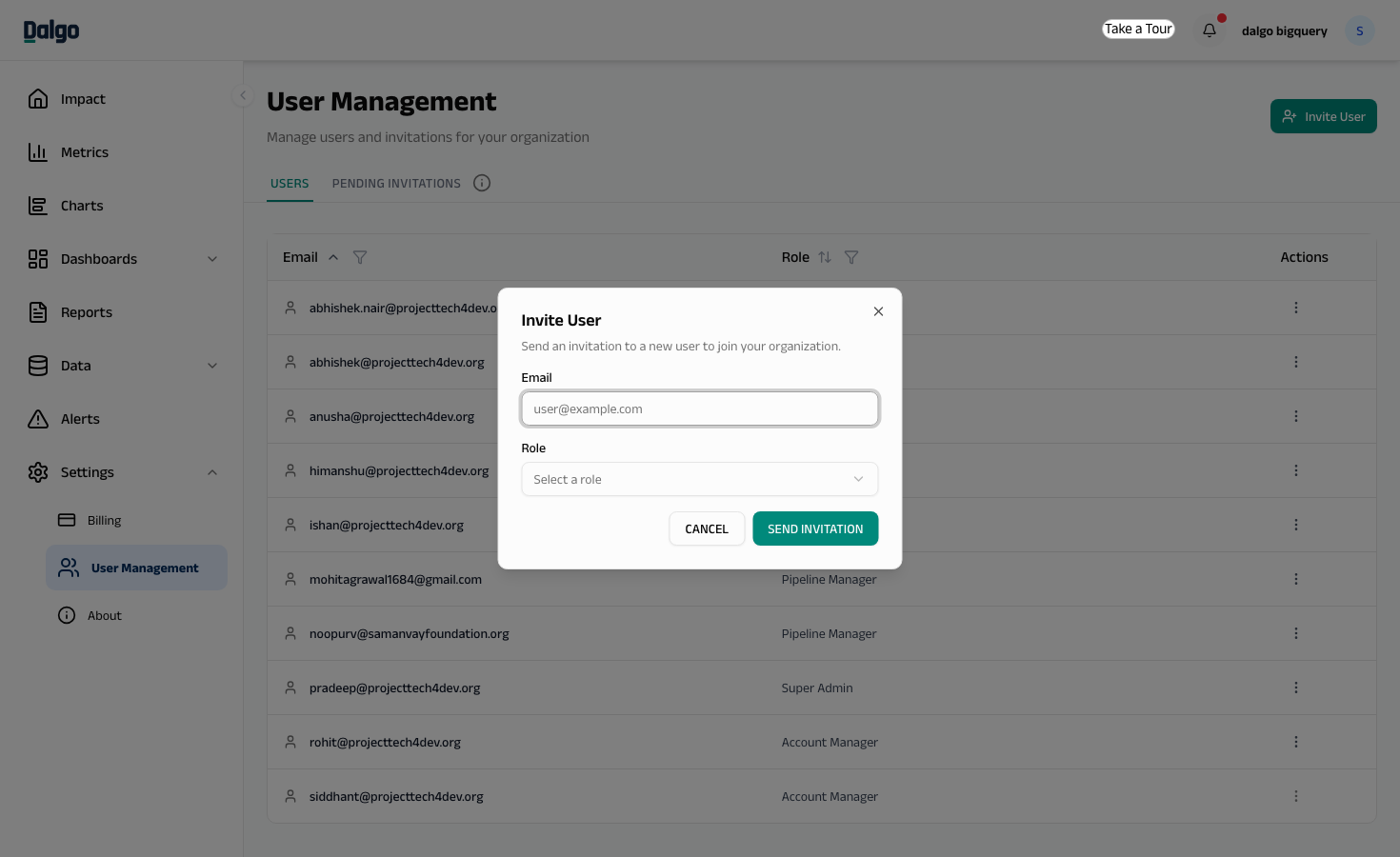
- Select Invite User in the top-right corner.
- Enter the user's Email address.
- Select a Role from the dropdown — Admin, Analyst, or Member.
- Select Send Invitation.
The user will receive an invitation email. They appear under Pending Invitations until they accept and set up their account.
Managing pending invitations
On the Pending Invitations tab, select the ⋯ menu on an invitation row to:
- Resend the invitation
- Delete the invitation
Changing a user's role or removing a user
- On the Users tab, select the ⋯ menu on the user's row.
- Select Edit Role to assign a different role, or Remove to revoke their access.
Removing a user immediately revokes their access to Dalgo. They will not be able to log in until re-invited.
Available roles
Every user gets one of three roles:
| Admin | Analyst | Member | |
|---|---|---|---|
| Dashboards, Charts, Reports, Metrics, KPIs, Alerts | Create, edit, delete anyone's | Create and edit; delete their own (an Admin can delete any) | View only |
| Ingest, Transform, Orchestrate, Explore, Data Quality, Pipeline Overview | Full access | View only | Not shown |
| Impact and KPIs summary pages | Full access | Full access | View only |
| User Management and Billing | Full access | No access | No access |
- Analysts build, but don't connect or run. They can create dashboards, charts, reports, metrics, KPIs, and alerts freely, and can see (but not change) your warehouse, sources, and transform setup.
- Deleting is owner-or-admin. Anyone can delete the dashboards, charts, reports, metrics, KPIs, and alerts they created themselves. Deleting something a teammate made requires the Admin role.
- Members have a read-only view of the dashboards, charts, reports, and alerts shared with the organisation, plus the Impact and KPIs pages.
Dalgo recently simplified its roles. If your organisation was already using Dalgo, existing users were moved over automatically: Account Manager and Pipeline Manager became Admin, and Guest became Member — Analyst keeps its name but no longer edits sources, connections, dbt models, or pipelines directly. Each user sees a one-time screen explaining what changed for their role the first time they log in after the update.