Warehouse
Your warehouse is the single database where data from all your sources is stored after syncing.
Dalgo supports BigQuery and PostgreSQL. Every organisation has one warehouse, and it has to exist before you can sync any data — so this is usually the first thing you set up.
The warehouse lives in Settings → Data because it's organisation-wide infrastructure rather than part of any one sync. The Ingest page shows which warehouse is in use next to its heading, and that link brings you here.
Viewing your warehouse
Select Settings in the left menu, select Data, then select the Warehouse tab.
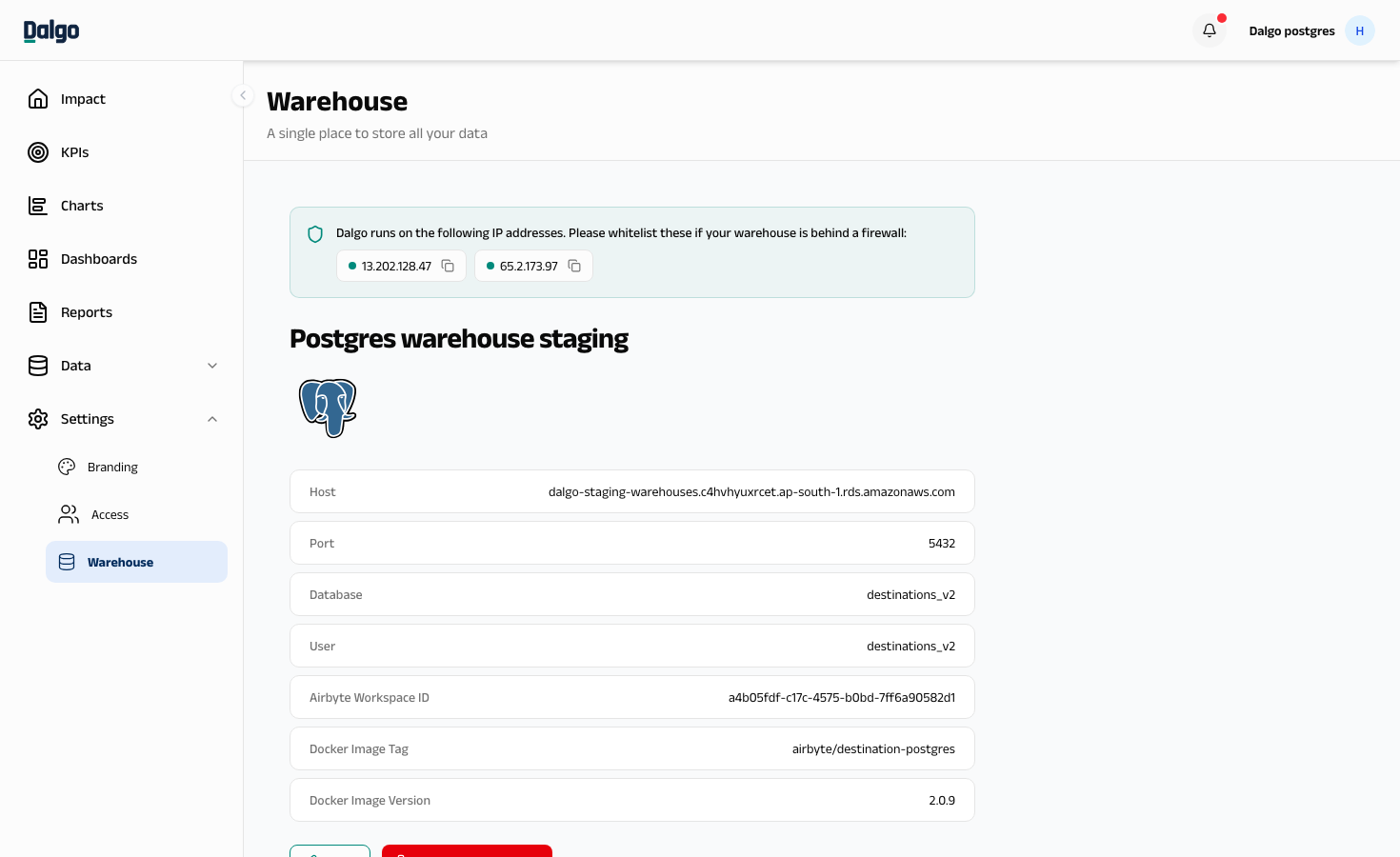
You'll see the warehouse name and its connection details — host, port, database, and the Airbyte workspace Dalgo uses to sync into it.
Whitelist these IP addresses in your firewall if your warehouse is not open to the internet. Select an address to copy it.
13.202.128.4765.2.173.97
Setting up your warehouse
If no warehouse has been set up yet, the page shows Set Up Warehouse instead of the details table. (Starting from the Ingest page, the same form opens automatically as the first step of adding a source.)
- Select Set Up Warehouse.
- Enter a Name — anything that identifies it for your team.
- Choose the destination type — Postgres or BigQuery.
- Fill in the connection details:
- Postgres — Host, Port, DB Name, Default Schema, username, and password
- BigQuery — project ID, dataset location, and service account JSON credentials
- Select SAVE CHANGES AND TEST. Dalgo checks it can reach the warehouse before saving.
Editing your warehouse
- Select EDIT.
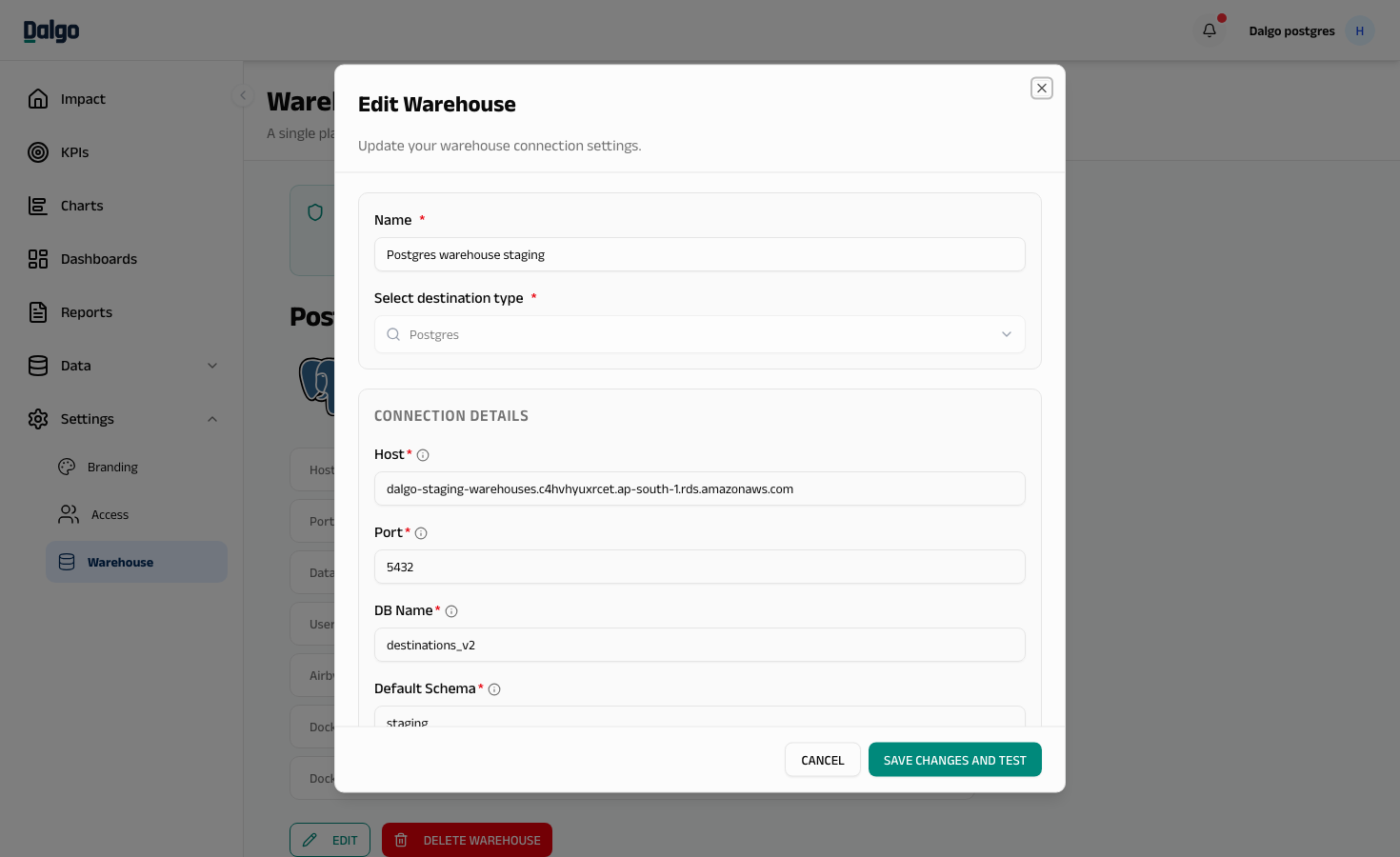
- Update the details, then select SAVE CHANGES AND TEST.
Deleting your warehouse
Select DELETE WAREHOUSE, then confirm.
Deleting the warehouse also deletes all your connections, pipelines, and the dbt repository set up against it. This cannot be undone.
If you need help getting warehouse credentials, contact your internal tech team, your implementation partner, or the Dalgo team at support@dalgo.org.